ChatGPT API for Product Managers
Let's ask ChatGPT API to evaluate the meme we generated recently with MemeAPI. Do robots have a sense of humour or we, PMs, are still on top there?

In my first post about APIs, we discussed the basic structure (input, output, and potential errors) and even called the Meme API to generate images. Today, we’ll ask the ChatGPT API whether our meme is funny enough.
Why ChatGPT API?
Most of you probably interact with LLMs in a chat form: for example, you asked ChatGPT which IT giant to invest in 2025 or something less dramatic like “how to cook pancakes”. This is just the tip of the iceberg and the “popularization strategy” of OpenAI. The real magic begins when you can embed LLM logic into the code of your product. And yes, you guessed right - this is just yet another call to an API, now - to ChatGPT API.
ChatGPT API quick start guide
Luckily for all non-technical people, it is not a complex API call because most of the magic will happen inside an English prompt you pass in the API call, and the rest are just small technical necessities. Below, you can see an example from the OpenAI docs page. Let’s look at it line by line:
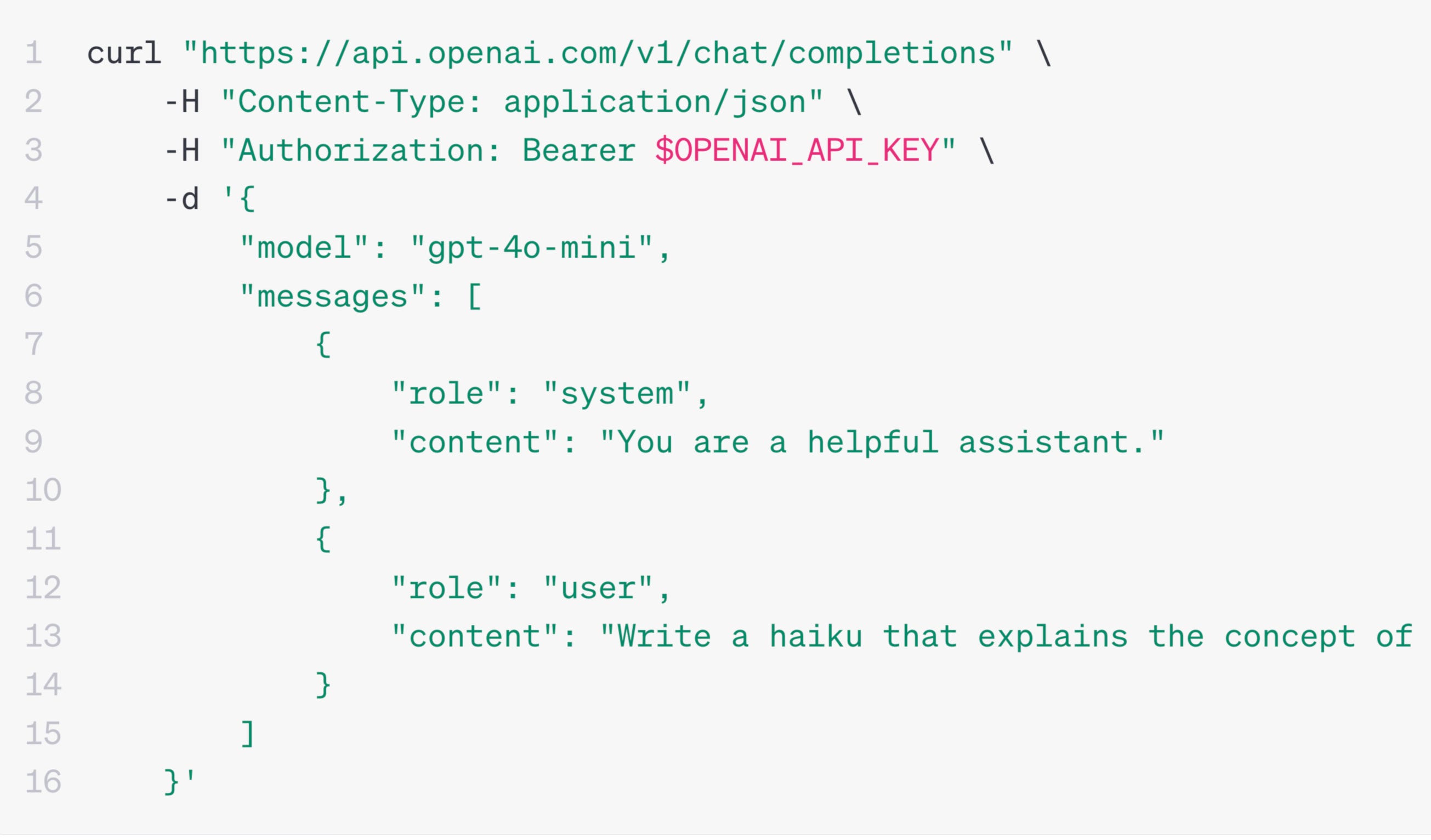
Line 1 is just the unique “address” of the API endpoint on the Internet, which is like a house address in real life.
Line 2 says we want to use JSON format for input and output. This is like agreeing on the language to communicate in (English, French, Dutch?).
Line 3 mentions a secret key. This is new, we didn’t have it Meme API.
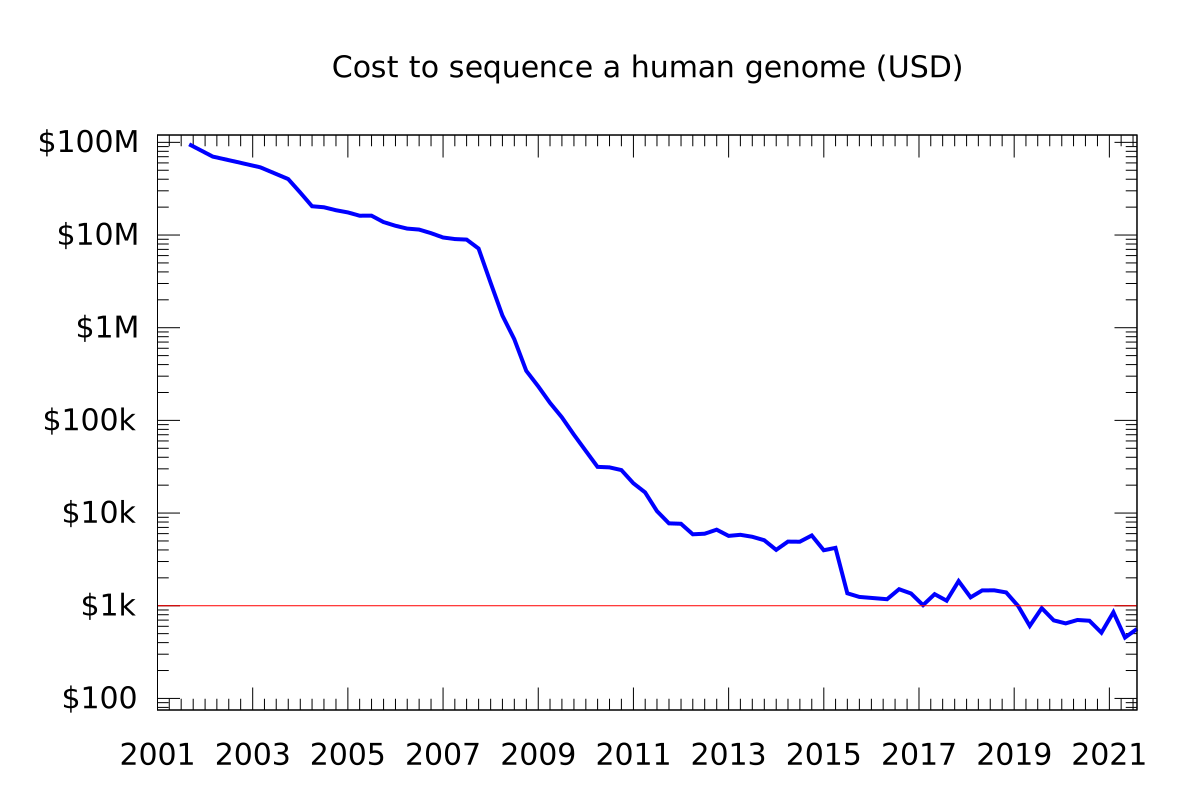
The key is to identify a caller (you, in this case) and charge them. Intelligence costs money, and the more sophisticated the model you use, the more you pay. History shows that all expensive inventions (e.g., genome sequencing) get cheaper with time. The same happens with the price of LLM tokens - it goes down as we speak. Now, it costs around a few bucks a month to use for non-automated casual activities—more than affordable.
Using your unique key, the OpenAPI can also attribute your actions to your account and show you statistics on your calls (when/what), their content, and other details.
Line 5 is a choice of model. OpenAI offers several: some are cheaper, faster, and less intelligent (e.g., GPT-4o-mini), and some (e.g., GPT-o1) can reason but are slower and cost more “tokens” (internal currency).
In lines 8 and 9, we instruct the model with a one-time blessing (“You are a helpful instructor”). From now on, the model will play this role until we change it. We could have said, “You are a helpful instructor who speaks only words starting with “C. “But let’s not annoy LLM too much - keep in mind the Terminator movie.
Finally, in lines 12 and 13, we start sending the questions. In this example, there is only one, but in a real app, many questions might be sent to the API: “Write me a haiku about X,” “Create a song about Y,” and so on. The helpful instructor will reply to each one one by one.
You might ask what the “curl” or “-H” are about. I suggest ignoring them for now (we will use a more user-friendly way to call the API). I will just mention that this command (curl) can be used by any device with an operating system (computer, car, smart washing machine, smart kettle, etc.). This means that almost any smart device in the world can call any API, and from now on, the ChatGPT API will also be available.
Congratulations, now you know the main skeleton of ChatGPT API. The cool part is that 99% of business logic will be in a natural language (English) and sit inside the “user” prompt field. In other words, the logic depends fully on you.
Weekly Challenge: calling ChatGPT via Postman
Remember we generated this meme last time?
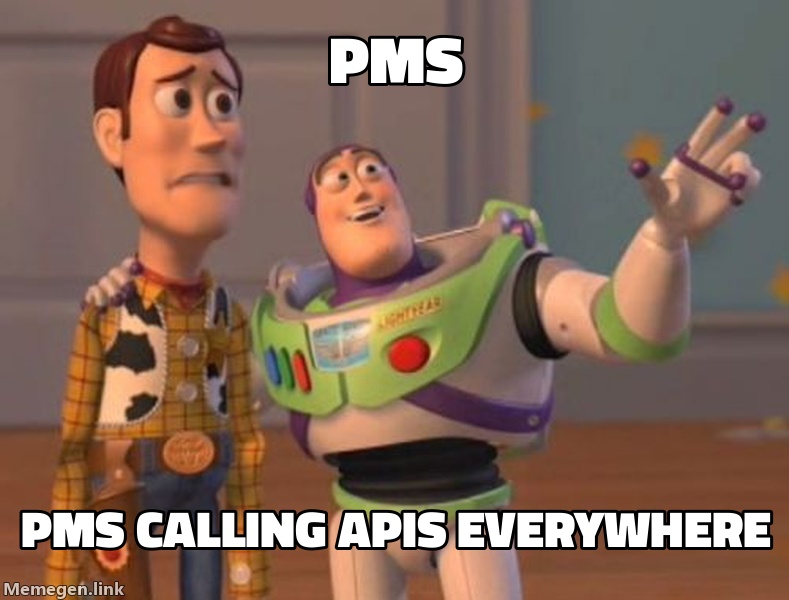
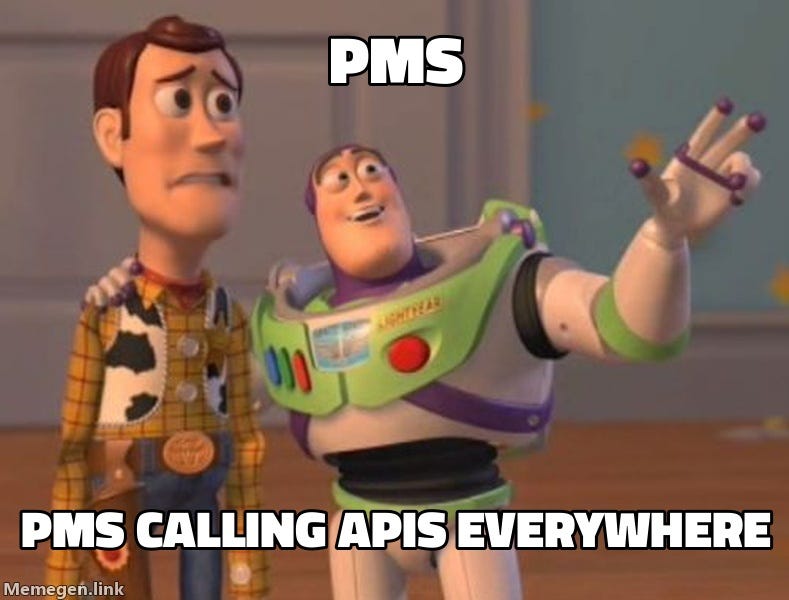
Let’s ask mighty AI to evaluate how funny we are. If you want to do it yourself, you can follow these steps:
Register on the Postman website
Create a new Collection and then inside a new “POST” request
Copy address as this:
https://api.openai.com/v1/completionsGo to the “Body” tab and copy the code below. I use the older API version (3.5) because it is cheaper and easier to call, but the output is mostly the same. As you see, the main logic happens in the prompt field: I take the meme address (now - manually, but in the real of your app code, it will be a different meme per user) and ask ChatGPT to tell me whether it is funny: short version (yes/no) and a longer one. That’s it!
{
  "model": "gpt-3.5-turbo-instruct",
  "prompt": "Is this a funny meme? (https://api.memegen.link/images/buzz/PMs/PMs_calling_APIs_everywhere.jpeg). Return the answer as a JSON with 2 fields: short_answer: yes/no and explanation: 1 sentence summary why it is funny or not",
  "max_tokens": 250,
  "temperature": 0.7
}
When you hit “Send,” the API will return an error message saying you are not authorized. If you want to try it for real, register on OpenAI to obtain the key. It costs a few bucks for 1 million tokens (the previous example uses ±100 tokens).
Once you figure out the key, paste it into the Authorisation tab on the same screen, and you'll be ready to hit Send again! You should now see an LLM verdict about our sense of humor.
The answer
If you copied everything correctly and obtained an API key, you should be able to see the API response. In my case, ChatGPT thinks the meme is hilarious and explains why. Since LLMs are probabilistic, it might happen that your case will not be like the picture (but this is unlikely because our meme is amazing). You can also see that we used 126 tokens, so it cost us 126 / 1M. * 2$ = 0.0002$
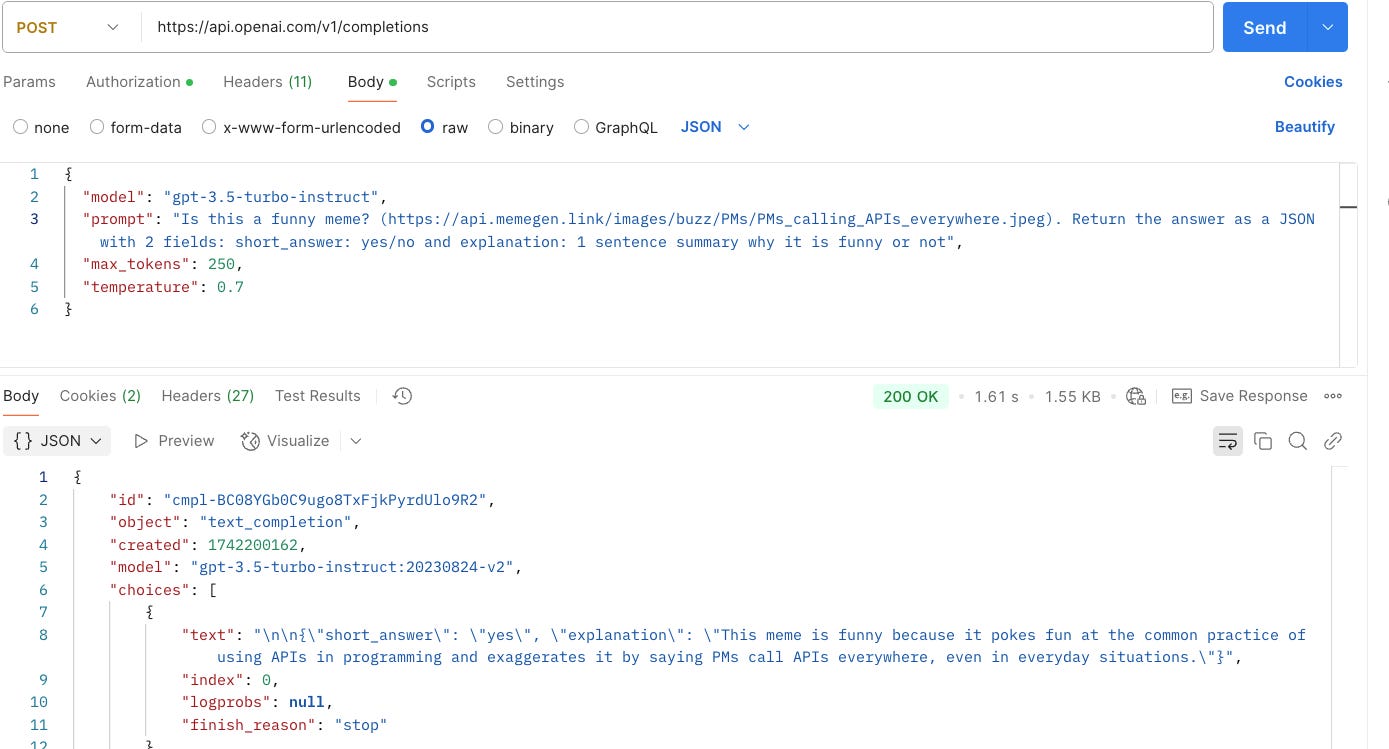
Now, imagine that this logic lives somewhere in your product codebase. Because you now know how things are connected to each other, you can give a clear task to your development team, for example:
Call MemeAPI with user input of meme text
Give it to ChatGPT API with the prompt I mentioned above (replace a hardcoded address of a user’s meme)
Show answers to a user to help them evaluate their sense of humor (e.g., before posting it to social media).
What’s next
I hope it was useful. Of course, there is more to be said about APIs from the PM perspective: how to navigate API docs, potential errors in practice, how to measure API health, how to test APIs, the difference between synchronous and async APIs, and so on.
If you want to master these topics and Technology Basics for Product Managers in general, check out this hands-on course. I have a 20% discount for all readers of my substack (the discount will apply at the payment step).